
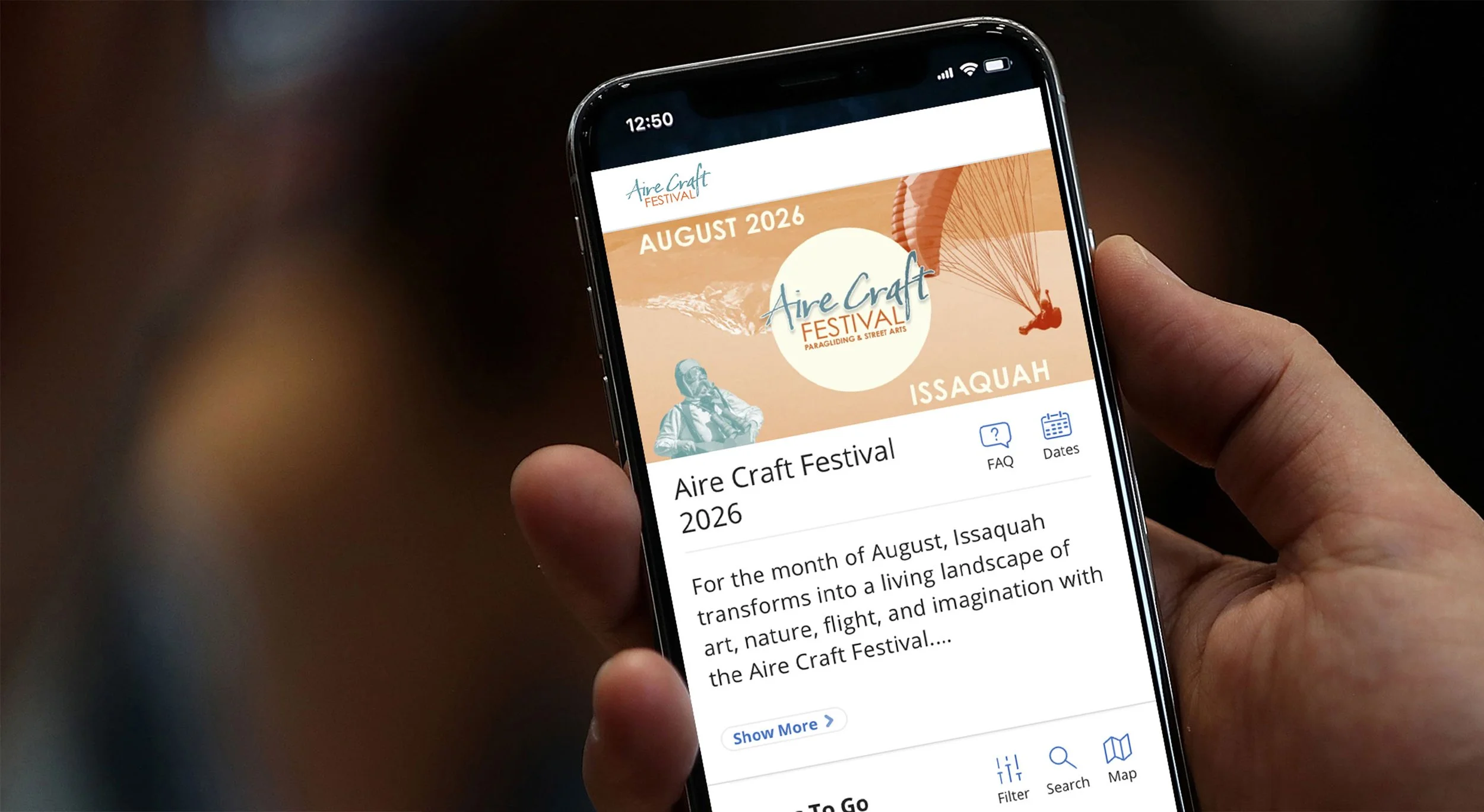
Aire Craft Digital Passport
For the month of August, Issaquah transforms into a living landscape of art, nature, flight, and imagination. As part of Aire Craft’s inaugural festival, Clown Garage and Culture Tug have partnered with Good Business Network of Washington to develop the Aire Craft Digital Passport.
What is the Digital Passport?
Designed to connect visitors with the outdoor experiences, local businesses, and cultural destinations that make Issaquah unique, this interactive passport will highlight participating businesses and community partners, showcase festival events, and encourage users to explore the intersection of arts, culture, nature and flight through curated experiences woven throughout the city—from street to sky.
The FREE digital passport experience only requires a smartphone and a sense of adventure! Passport users will check-in to locations using a GPS-based platform to earn points toward prize package giveaways that will be awarded based on activity from August 1-31, 2026.
Prize packages will include
(see below FAQ for eligibility requirements):
One FREE tandem paragliding flight with Northwest Paragliding, One FREE Drop in Flying Trapeze Class at SANCA in Seattle, One FREE class at the Improv School, & Two FREE tickets to the Big Picture Issaquah
Prizes will be transferable upon request of winner at time of award on as-needed basis.
Digital Passport FAQ
-
If you didn’t save your passport to your phone at the time of checking out, you can access your pass from your confirmation email or from the text message that was sent to your phone when you completed your user registration.
-
Email
Use your search bar in your inbox and type “Order Confirmation from Good Business Network of Washington” .
Click on email and view your pass now.
Text
In your message app use the search bar and type “Your pass from Good Business Network is ready!”.
Click on the link and save the pass to your phone.
Click on the question mark and follow instructions for ‘How to Add Pass to your phone’ if you are struggling with saving it to your phone.
-
Once you have located your confirmation email, click on the link to download your pass. Follow the instructions to “Save Pass to your Homescreen.”
-
The Aire Craft Festival digital passport will be active from August 1 - 31, 2026. Clicking on the calendar icon in the mobile pass will also let you know when you can start using the pass, or if it’s already activated. You can also see the date your pass expires.
-
Allowing location services allows you to use map view in real time using your phone’s GPS chip as well as access directions if needed. Location services are required to utilize the GPS check-in capability for this passport. Click the ? (question mark) on the home screen of your pass to learn how to add location services.
-
This digital passport uses geo-location services (GPS) to check in.
1. Once you’ve arrived onsite, select the location profile either from the map view or the profile list.
2. You will then select the “CHECK-IN” button under the “Things To Do” text on the profile page.
3. On the next screen, click on the “CHECK-IN” button near the bottom (below “frequency”).
4. The next screen will ask you to Validate Your Location – hit Continue must allow location services on your phone and be within the GPS range onsite in order to check in.
When your check-in is successful, you will see a gray checkmark with a timestamp indicating success. -
For most locations (cultural organizations and small businesses), you can check in once per week. For special events, you will have the opportunity to check in ONCE, during the days/times specified on the event profile. The check-in functionality for special event listings will only be available on the day of the event.
-
Prize Drawing Eligibility:
Prize drawings for Aire Craft’s inaugural digital passport will be held following the end of the passport activation period (August 1-31, 2026). All eligible check-ins must be completed by August 31, 2026. Prize drawings will include passholders who meet the eligibility requirements associated for each prize package below. A member of the Aire Craft Festival team will reach out to the winners via email in September 2026 to arrange for prize awards.
GRAND PRIZE*
One FREE tandem paragliding flight with Northwest Paragliding
Requirement: Check in to two (2) festival events + three (3) additional locations using your passport.
ADDITIONAL PRIZES*
One FREE Drop in Flying Trapeze Class at SANCA in Seattle
Requirement: Check in to one (1) festival event + three (3) additional locations using your passport.One FREE class at the Improv School
Requirement: Check in to at least three (3) locations using your passportTwo FREE tickets to the Big Picture Issaquah
Requirement: Check in to at least three (3) locations using your passport
*Prizes will be transferable upon request of winner at time of award on as-needed basis. -
No, there is only a digital pass that will be completely saved and accessed from your phone. There is nothing to print or redeem. All you need is a smartphone that’s connected to wifi and you’re good to go!
-
Go here to request a new link to your pass:
https://app.bandwango.com/dashboard/request
All we need is the email address you used during checkout. A new link will be sent immediately via email and text message. -
If you’re still having trouble, our Customer Service team can be reached in the following ways:
Email: support@bandwango.com
Phone: (888) 921-5333
Text: (888) 921-5333
Terms & Conditions Apply: Personal information will not be shared with any third-party entities outside of Bandwango, Inc (“digital passport creation company”). Any external communications received will only occur once the participant has “opted-in” using checkbox on the form signup. You may unsubscribe at any point, however, you will no longer receive notifications via the digital passport once you unsubscribe.